Vol. 1 | 2026/5/17 | Roblox Field Edition
Last updated May 17, 2026

How to Redeem Anime Apocalypse Codes

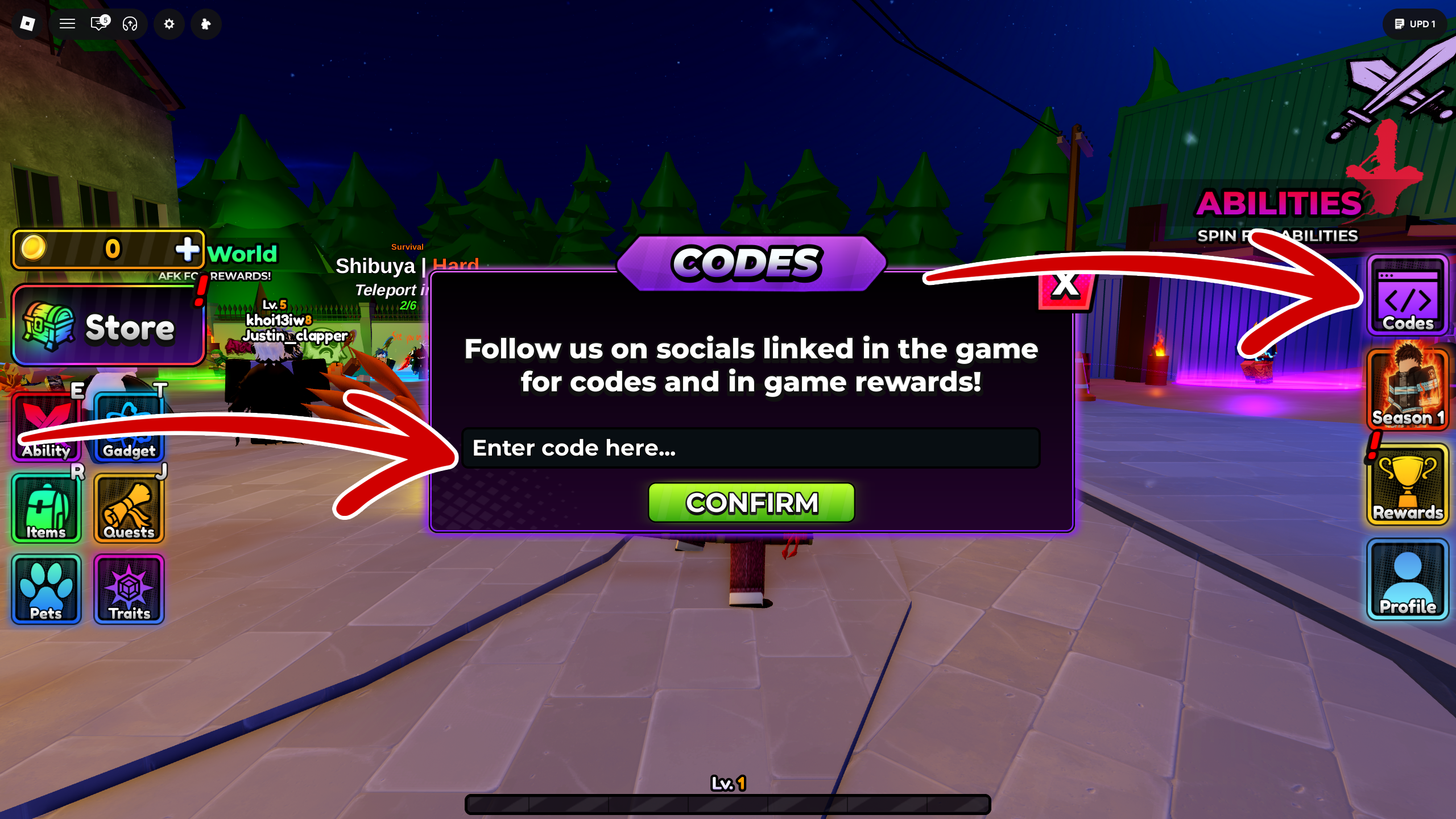
Open the right-side Codes menu, paste the code, confirm, and check the reward before jumping into a run.

The code box sits inside the in-game interface. If a new code fails, rejoin a fresh server first; newly released codes often depend on the newest game version.
Redeem

  1. Open the official Roblox experience and wait for the main interface to load.
  2. Select the Codes button on the right side of the screen.
  3. Paste one active code into the input. Avoid leading or trailing spaces.
  4. Press Confirm. If nothing happens, rejoin a fresh server and retry.
  5. Check Coins, Raid Tickets, Spins, Rerolls, and boost timers immediately.
Anime Apocalypse code redemption menu screenshot
Field Notes: Open the right-side Codes menu, paste the code, confirm, and check the reward before jumping into a run.

Common errors

Read more
ErrorLikely causeNotes
Invalid code Typo, extra space, or old server Copy again, remove spaces, then join a fresh server.
Expired The code batch ended Move it to the expired list and try the newest batch.
Already redeemed The account claimed it before Check rewards and do not retry on the same account.
No reward appears Delayed sync or UI lag Rejoin, reopen inventory, and check boost timers.